
AI Professional Headshot Generator
- Follows LinkedIn’s official profile photo guidelines
- 75 outfits, 41 backgrounds, 76 hairstyles & 10 poses
- 3 free headshots
- Ready in 3 minutes
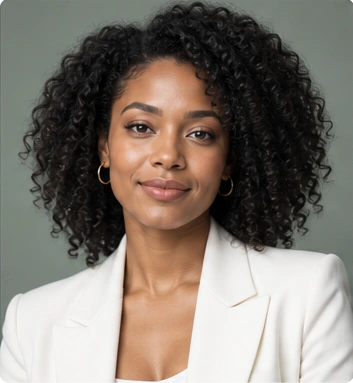
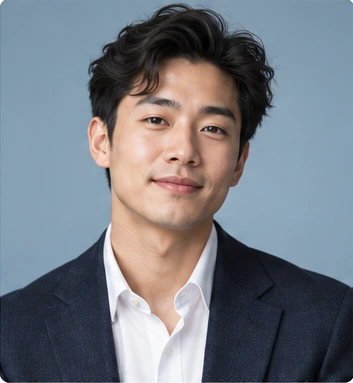
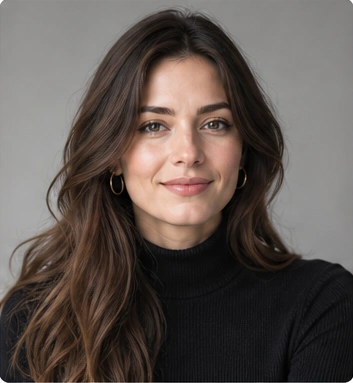
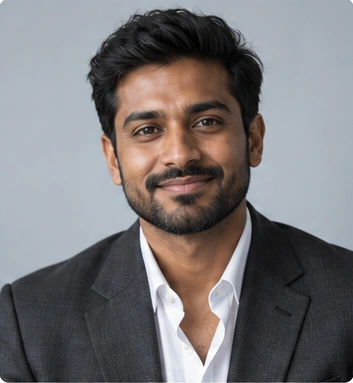











THE PORTRAIT COLLECTION
Professional Headshots.
Unmistakably You.
Explore professional AI headshots across different faces, styles, and stages of a career. A clean backdrop. Considered lighting. Room for personality.
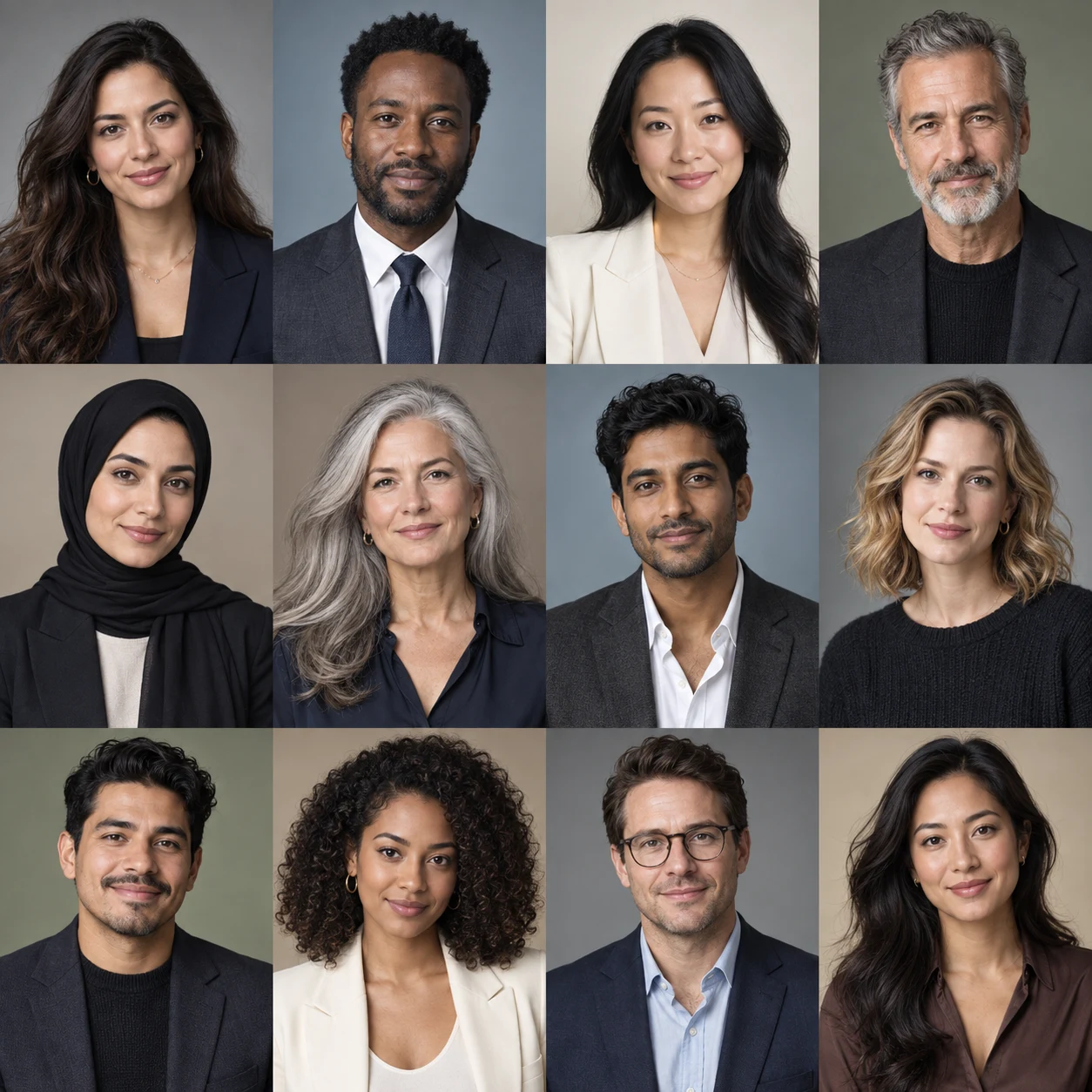
Quiet backgrounds. A confident first impression.
LINKEDIN & PERSONAL BRANDING
LinkedIn Headshots That Look Like You
Create LinkedIn headshots with a clear view of your face, a simple background, and an outfit suited to your role. Choose a result that accurately represents you.
Tailored or relaxed. Studio or natural light. Let the setting support the story you want to tell.
Create Your LinkedIn Headshot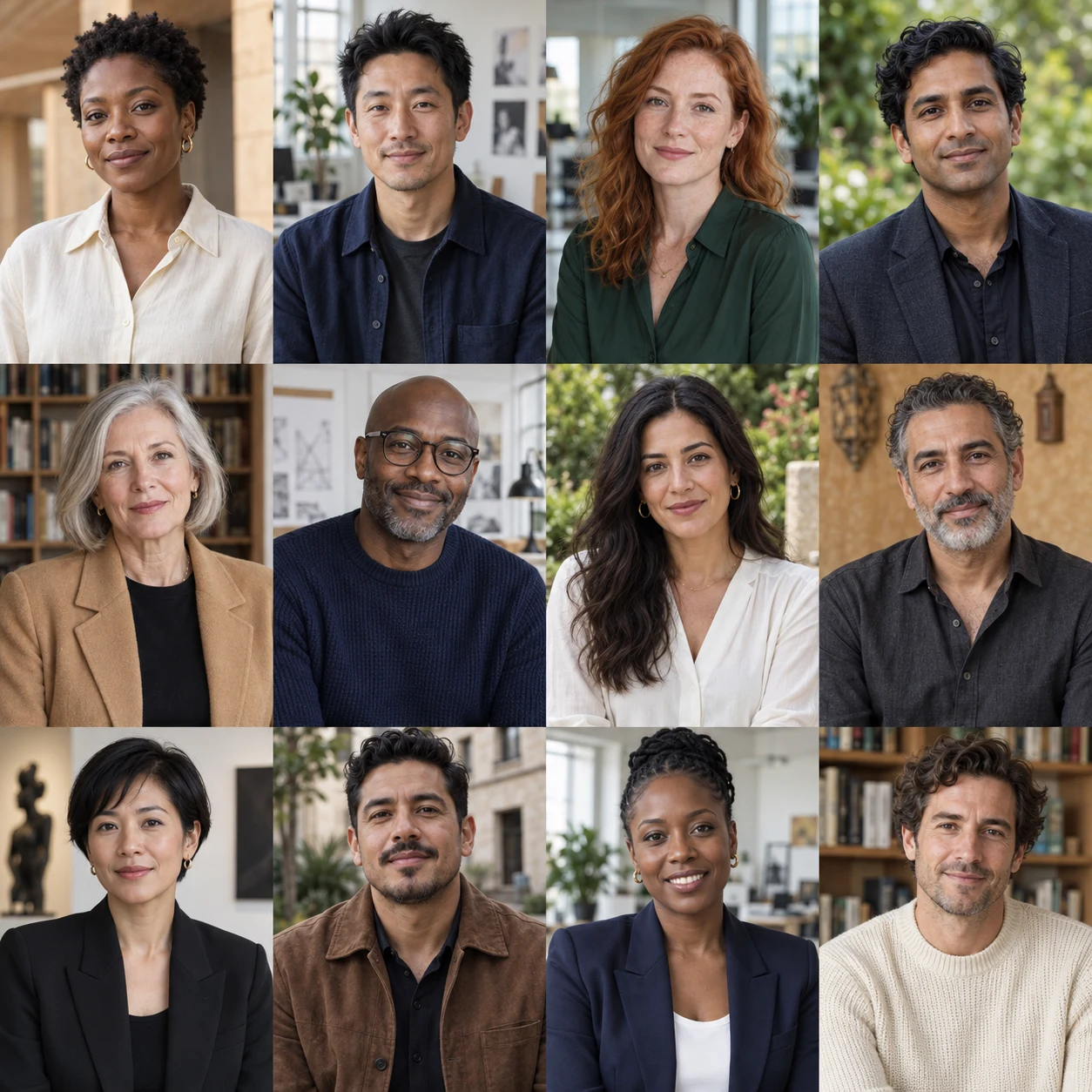
BEYOND THE BACKDROP
A little more atmosphere.
Just as much presence.
Soft greenery, bright workspaces, and warm textures offer a different take on the traditional studio headshot.
Why AIHeadshotNow. Is the AI Professional Headshot Generator
What Makes a Good LinkedIn Headshot Generator
Start with recognizable facial features and a natural expression. Compare the portrait with a recent photo, then check the crop at LinkedIn profile size.
Your face. Your choice of style.
Personalize your LinkedIn headshot with 75 outfits, 41 backgrounds, 76 hairstyles, and 10 poses. Choose a look that suits your role, and check that the final portrait still looks like you.
No studio appointment needed
A LinkedIn headshot generator can be faster and more affordable than booking a studio photographer near you. Choose a photographer when you need in-person direction or a bespoke shoot.
AIHeadshotNow. AI professional headshot generator vs. a studio photographer
| Compare | AIHeadshotNow. AI generator | Studio photographer |
|---|---|---|
| Cost | From $29; 3 free headshots to start | Typically $150–$500+ per session, plus styling and prints |
| Time to a finished photo | About 3 minutes, instant download | Typically a few days to 2 weeks |
| Where it happens | Online, from photos you already have | Studio visit or on-location session |
| Customization | 75 outfits · 41 backgrounds · 76 hairstyles · 10 poses | Varies by studio, wardrobe, and add-on styling |
| Direction & realism | Self-serve presets; you pick the result that looks like you | In-person posing and lighting, and a guaranteed real photo |
| Revisions | Regenerate whenever you have credits | Usually limited; reshoots may cost extra |
| Best for | A fast, affordable LinkedIn refresh from anywhere | Brand campaigns, print, or hands-on direction |
Explore every look
Outfits75 options
- BlazerWomen
- Tailored suitWomen
- Silk blouseWomen
- Fine knitWomen
- Business dressWomen
- Navy blazerWomen
- Black blazerWomen
- Beige suitWomen
- Pinstripe suitWomen
- Blue shirtWomen
- Satin blouseWomen
- TurtleneckWomen
- CardiganWomen
- Wrap dressWomen
- Tweed jacketWomen
- Gray suitWomen
- Burgundy blazerWomen
- Sage blazerWomen
- Camel blazerWomen
- Linen blazerWomen
- Herringbone jacketWomen
- White shirtWomen
- Striped shirtWomen
- Bow blouseWomen
- Rose blouseWomen
- Navy cardiganWomen
- Cream turtleneckWomen
- Navy sheath dressWomen
- Burgundy dressWomen
- Collarless jacketWomen
- Navy suitMen
- Charcoal suitMen
- BlazerMen
- Fine knitMen
- Classic shirtMen
- Black suitMen
- Beige suitMen
- Brown tweedMen
- Blue poloMen
- TurtleneckMen
- Cream knitMen
- White shirtMen
- Pinstripe suitMen
- Linen blazerMen
- WaistcoatMen
- Light gray suitMen
- Olive suitMen
- Brown suitMen
- Double-breasted suitMen
- Velvet blazerMen
- Herringbone blazerMen
- Camel blazerMen
- Oxford shirtMen
- Striped shirtMen
- Mandarin collar shirtMen
- Linen shirtMen
- Knit poloMen
- Quarter-zip sweaterMen
- Cardigan & shirtMen
- Sweater vestMen
- Denim shirtWomen
- Boat-neck knitWomen
- Polo knitWomen
- Shirt dressWomen
- Knit vest & shirtWomen
- Ribbed knit topWomen
- Denim shirtMen
- Crewneck sweaterMen
- V-neck sweaterMen
- Long-sleeve poloMen
- Smart overshirtMen
- Merino turtleneckMen
- Light gray suit & tieMen
- Double-breasted suit & tieMen
- Oxford shirt & tieMen
Backgrounds41 options
- Pure white
- ID photo blue
- Red
- Light gray
- Light blue
- Off-white
- Light cream
- Medium gray
- Sky blue
- Slate gray
- Black
- Ivory
- Beige
- Taupe
- Royal blue
- Deep navy
- Blue gray
- Soft sage
- Olive gray
- Forest green
- Blush pink
- Lavender
- Burgundy
- Gray
- White
- Blue
- Sage
- Office
- Outdoors
- Charcoal
- Sand
- Cream
- Dusty rose
- Navy
- Textured wall
- Bright office
- Library
- Coworking
- Brick loft
- City terrace
- Garden
Hairstyles76 options
- Blunt bobWomen
- French bobWomen
- Angled bobWomen
- Wavy bobWomen
- Curly bobWomen
- Long bobWomen
- Layered lobWomen
- Classic pixieWomen
- Textured pixieWomen
- BixieWomen
- Long straight hairWomen
- Long layersWomen
- Curtain bangsWomen
- Wispy bangsWomen
- Blunt bangsWomen
- Side-swept bangsWomen
- Shoulder-length wavesWomen
- Long wavesWomen
- Loose curlsWomen
- Natural curlsWomen
- Rounded afroWomen
- Low ponytailWomen
- High ponytailWomen
- Low bunWomen
- High bunWomen
- French twistWomen
- Half-up hairWomen
- Side braidWomen
- Box braidsWomen
- Soft shagWomen
- Buzz cutMen
- Crew cutMen
- Ivy LeagueMen
- Classic side partMen
- Comb overMen
- Slick backMen
- QuiffMen
- PompadourMen
- Textured cropMen
- French cropMen
- Caesar cutMen
- Short spikesMen
- Low fadeMen
- Mid fadeMen
- High fadeMen
- Classic taperMen
- UndercutMen
- CurtainsMen
- Two-block cutMen
- Side fringeMen
- Wavy sweepMen
- Curly topMen
- Short afroMen
- Short twistsMen
- Short locsMen
- CornrowsMen
- Shoulder-length hairMen
- Man bunMen
- Bro flowMen
- Flat topMen
- Hime cutWomen
- Airy fringeWomen
- Butterfly layersWomen
- Japanese layered short cutWomen
- Bantu knotsWomen
- Tapered coilsWomen
- Braided bobWomen
- Twist-out curlsWomen
- Comma fringeMen
- Down permMen
- Japanese wolf cutMen
- Straight center partMen
- Coil fadeMen
- Short locsMen
- Sponge curlsMen
- Straight-back braidsMen
Poses10 options
- Front-facing
- Slight left turn
- Slight right turn
- Three-quarter left
- Three-quarter right
- Seated upright
- Seated slight lean
- Arms crossed
- Hands clasped
- Hand on chin
COMPANY BIOS & TEAM PAGES
Business Headshots
for Company Profiles
Create corporate headshots for company bios, team pages, and speaker profiles. Choose similar backgrounds and outfits for a consistent style, while keeping each person’s look individual.
Different people. A shared sense of polish.
FROM PHOTO TO PORTRAIT
How the AIHeadshotNow. AI professional headshot generator Works in 3 Steps
- 01
Upload your photos
Upload 1–3 clear, recent photos of yourself. Use good lighting and keep your face unobstructed so the result reflects your current likeness.
- 02
Customize your professional look
Choose from 75 outfits, 41 backgrounds, 76 hairstyles, and 10 poses. Pick a simple background and clothing suited to your role, then set the aspect ratio and add any optional preferences.
- 03
Generate and review your headshots
Choose 1–8 images and select Generate headshots. Each image uses one credit. Review your results in Recent photos, check your likeness and natural expression, and download your favorite for LinkedIn.
Before uploading to LinkedIn, review LinkedIn's official profile photo guidelines and profile picture recommendations.
A FEW THINGS TO KNOW
AIHeadshotNow.
FAQs.
What is the AIHeadshotNow. AI professional headshot generator?
This type of AI tool creates a professional LinkedIn profile photo from your existing pictures. The AIHeadshotNow. AI professional headshot generator turns 1–3 selfies into headshots with 75 outfits, 41 backgrounds, 76 hairstyles, and 10 poses. Try 3 free headshots.
Is a photo from the AIHeadshotNow. AI professional headshot generator allowed on LinkedIn?
When using the AIHeadshotNow. AI professional headshot generator, choose a result that accurately represents you. LinkedIn requires your profile photo to reflect your likeness; its guidance does not provide blanket approval for AI tools. Use a clear, recent-looking image and reject results that change your face.
How is the AIHeadshotNow. AI professional headshot generator different from a photographer?
A photographer offers in-person direction but usually costs more and takes longer to book. AIHeadshotNow. generates headshots in minutes from photos you already have, without a studio appointment. Compare the result with your source photos before using it.
How do I create LinkedIn headshots with AIHeadshotNow.?
In AIHeadshotNow., upload 1–3 clear photos of yourself, choose your outfit, background, hairstyle, and pose, then set your image count and generate. Review the results in Recent photos and download a portrait that accurately represents you.
Can I try AIHeadshotNow. for free?
This frontend preview lets you choose your portrait style. Free trials and generation will be available after the service is connected.
Which photos should I upload to AIHeadshotNow.?
Upload one to three recent photos with your face clearly visible. Choose sharp images with even lighting and avoid sunglasses, heavy filters, group photos, or cropped faces. Supported formats are JPG, PNG, and WebP, with a maximum size of 10 MB per photo.
Can I keep or change my hairstyle in AIHeadshotNow.?
Yes. Select Original hairstyle to keep your current look, choose a hairstyle from the gallery, or select Custom hairstyle and describe what you want in Additional details.
What should I check before using a headshot on LinkedIn?
You can create portraits for a LinkedIn profile picture, corporate bios, and personal branding. Before publishing, choose a result that accurately represents you and check any requirements set by your platform or employer.
How long does AIHeadshotNow. take to generate headshots?
Generation time varies with the number of photos and current processing demand. You can follow each task in Recent photos and start another task after your current request has been submitted.
Can I customize my background and outfit in AIHeadshotNow.?
Yes. AIHeadshotNow. offers 75 outfits, 41 backgrounds, 76 hairstyles, and 10 poses. Choose a combination suited to your professional profile and check that the result looks like you.
How can I get the best results with AIHeadshotNow.?
Start with sharp, evenly lit reference photos that clearly show your face. Choose a background and outfit suited to where you will use the portrait. Before downloading, review facial details, hair, and clothing, and pick a result that looks like you. Results vary with your source photos and selections.
How does AIHeadshotNow. headshot pricing work?
Choose a one-time credit pack for occasional headshots or a monthly subscription for regular updates. Generating one headshot uses one credit. Check the pricing section for current prices and included credits, and review the billing terms at checkout before paying.
Where can I use my AIHeadshotNow. headshots?
AI headshots can support your professional presence across job searches, business, and personal branding. Common uses include:
Career: LinkedIn and job-board profiles, portfolios, and CVs or résumés where a photo is expected.
Business: company bios, team pages, founder and executive profiles, staff directories, email signatures, digital business cards, and client proposals.
Independent work: freelancer profiles and professional listings for consultants, coaches, real estate agents, and other service providers.
Public presence: personal websites, social media profiles, author bios, press kits, podcast guest profiles, conference speaker pages, and webinar introductions.
Online work and learning: meeting avatars, collaboration tools, course instructor profiles, and academic or alumni pages. Choose a photo that looks like you and meets the requirements of the place where you publish it.
Can I create professional headshots online instead of searching for a headshot photographer near me?
Yes. AIHeadshotNow. lets you create professional headshots online from your existing photos, without booking a local studio. A headshot photographer near you can provide in-person posing, lighting, and direction, while an online AI headshot generator offers a faster option you can use from anywhere. If you are comparing professional headshots near you with an online service, choose the approach that fits your needs and any requirements from your employer or platform.
Can I use AIHeadshotNow. headshots for business and corporate profiles?
You can create business headshots for company bios, staff directories, and speaker pages. For corporate headshots, choose a style that fits your company’s guidelines and check that the result accurately represents you.
Simple, Transparent Pricing
Frontend preview · Payments and accounts are not connected.
Try the AIHeadshotNow. AI professional headshot generator: 3 free headshots.
Create your look